Thursday, January 26, 2017

GameMaker Studio 2 - Camera View

Moving around the world we create is fun. But when the player is moving outside the view is not fun anymore. Making the camera follows the player is a way to prevent the player moving outside the view.
Directly make the camera follow the player feels ... limited? its like the player sights is limited to half of the screen when moving around.
My second attempt is to make an object that move ahead the player and goes back to the player when no key is pressed.

But there's a glitch in it that if the key left is pressed and then the key right is being pressed afterwards, no no-key event in between of those two event. Because of the key is being pressed one over another without releasing the key, the object if fall way behind the player.
So i make sure that the object is always in front of the player. But the left and right position transition is kinda jumpy and its very annoying.

And after thousand of attempts 😁, finally the result is satisfying. And i got an up and down sight as a bonus.

And yup this is it. 
My personal notes about Camera View. 🙂

Tuesday, January 24, 2017

Creating A Movement Engine : Walking and Jumping

Learning something new sometimes feels overwhelming 😥. But hey, one step at a time.... As the blog says, even an expert was once a newbie (i forget the source of this quote, sorry 😅)

From many tutorials over the internet, i finally grab a little of the basic a movement engine. My point of view is, -to simplified things-, i have to understand what is the condition of the player sprites and what is the effect to the sprites when it meet the condition. 

Is the sprites is on the ground or not?
what is the effect if the sprites is not on the ground, drag down by gravitation? or i want something else? flying maybe? or flying only if i press the spacebar?

What is the criteria of "on the ground" anyway. maybe i could define if theres something below the sprites, then it is on the ground. But how to check if there's something below the sprites?  

What if the sprites against the wall? What it can do and what it can't do? Jump off the wall?

How about ladder? water? quicksand maybe? The questions and the possibilities could be endless.

Long story short, i do lots of reading and learning from heartbeast and shaunspalding great tutorials and courses.


And my character can move now.
😙#whistle.

Thursday, January 19, 2017

First Block Of Tiles

Creating a tileset sounds a lot of work.

There's so many beautiful tileset out there. Some of them are paid and some others are free.

To create your own tiles is another story. I follow a tutorial from www.wildbunny.co.uk trying to create a retro look of tiles but using my own color preferences. And instead of 32x32 pixel, i use 16x16 pixel to match with my player sprites.

The result of course is ugly :)
But it's satisfying.


This is the result with only 2 tiles.
Top-middle tiles and middle-middle tiles.

I might try to create for other tiles position later.


Maybe i will change the color pallete too if it is not "clicking" with the whole theme. Who knows... its a thousand years before alpha anyway.

Wednesday, January 18, 2017

Pixel Art Walking Cycle

Honestly, i don't even know where to start to make a walking cycle for my character until i read +Sandy Gordon pixel art walk cycles step by step tutorial that breaking the walk cycle into some key poses at https://www.patreon.com/bandygrass.

If you really like pixelart pictures, i think his art is amazing. 
Following his tutorial, i start with two frames walk cycle. Contact pose and passing pose.

Contact pose is where foot meets ground.
And passing pose is where one foot passes the other foot.

At the next step,  adding up and down poses (vertical motion), i kinda find it too busy for 16x16 pixel character and ended up only adding down poses. But hey, it's just a matter of prefereces.

4 frames walking cycle looks good. But the tutorial covers much more to polished the walking cycle, adding stretch, squash and or bounce to the frames.
I find the last one is too busy so i reduced some stretch and squash at some frame. 

The result is kind of a lame walking but i like it more than the last step. Maybe i could use the busy one for my running animation.


What do you think?


And there it is. I done my 8 frames walking cycle thanks to +Sandy Gordon  aka @bandygrass for his amazing tutorial.

Monday, January 16, 2017

The 16x16 pixel Character


Lets shape the characters.... another tons of tutorials and you know.. -stuffs-
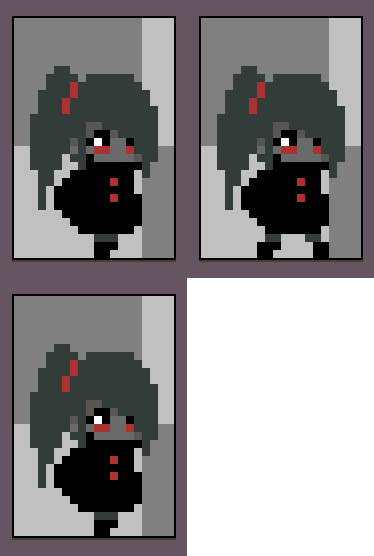
i finally got the sticky girl more shaped.


From this black-ish sticky girl that breathe regularly

into this one.

...... but wait, is this a female or a male? :/
nevermind. lets animate her idle pose..

Yeah. I'm quite happy with the result. :)

Thursday, December 29, 2016

GameMaker Studio 2


For you that lucky enough to grab the GameMaker: Studio on Humble Bundle, you'll have a 40% discount to buy GameMaker Studio 2 here.

Its always fun to learn something new, right?


Unfortunately, every game needs a character, and since i am not an artist, i am struggling just to make a very basic character.
.....and after tons of tutorials and youtube, here's the sticky girl

Lets make her breathe by adding some frame


And i think that's good enough for me :).

Wednesday, December 21, 2016

Windows !

I've got a new NUC with Windows 10 Preinstalled :D.

So the first thing i do is repartition the hard-drive for the choosen linux distribution later.

But in the meanwhile, lets surf deeper into the Windows realm

Cheers!